Microsoft Office 365 & VBA Enterprise Automation
Professional Microsoft Access database modernization, hybrid SQL Azure back-end migration, custom Excel VBA algorithm development, and automated Office 365 workflow pipelines.
Capabilities Matrix
Enterprise Office & Access Engineering
Rothenberg Industries, LLC automates repetitive tasks interfacing with Microsoft Office. Data importation, sorting, numerical analysis, and PDF report generation are seamlessly integrated using custom VBA.
-
Access Database Modernization: Legacy
*.mdbto*.accdbconversion, MDW security removal, and 64-bit VBA compatibility. - Hybrid SQL Azure Migration: Back-end migration via SSMA with Azure O365 Active Directory integrated authentication.
- Excel VBA Algorithms: Custom GUI forms, automated polynomial regression, data transformation, and SQL/ODBC ingestion.
- Automated Document Security: High-DPI PDF creation, two-step PDFtk password encryption, and Outlook email distribution.
- T-SQL Security Automation: Automated role & permission generation scripts for table and column-level SQL Server security.
Advisory & Turnkey Execution
TURNKEY SOLUTIONSWe offer comprehensive services ranging from initial advisory consulting conference calls to door-to-door turnkey solutions. Proven track record of reducing manual data processing times from over 8 hours to less than 1 minute.
Industrial Execution
VBA & Database Modernization Case Studies
Explore 7 production case studies demonstrating Access database upgrades, SQL Azure migration, Excel polynomial algorithms, and document automation.
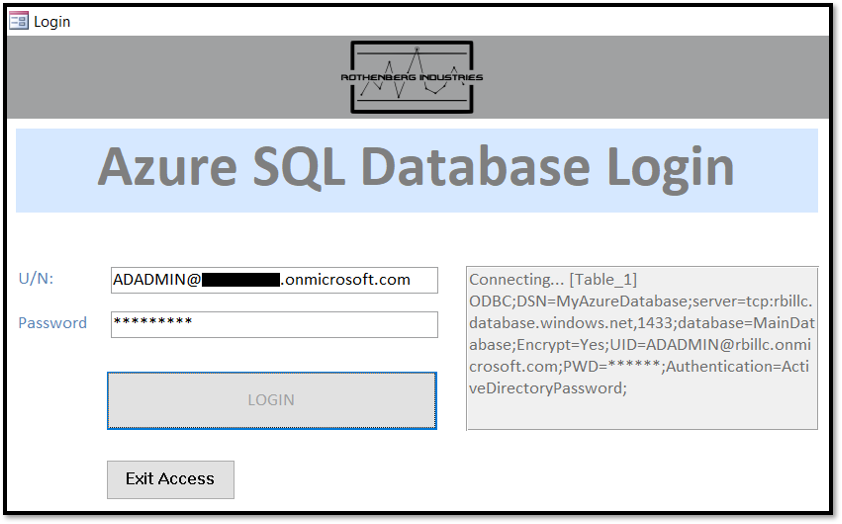
Azure Active Directory Authentication on Hybrid SQL Azure-Access DB
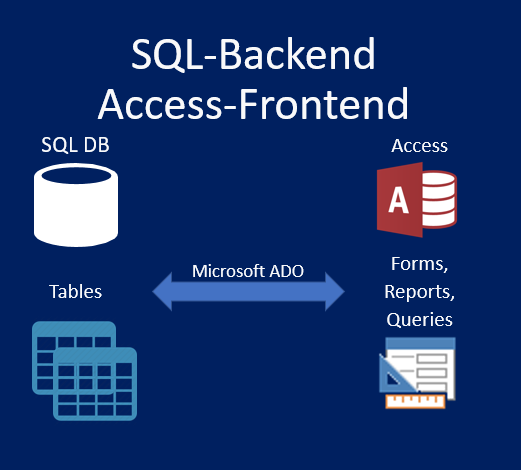
Scope: Integrated on-site Office 365 Active Directory with a hybrid SQL Azure Back-end / Microsoft Access Front-end database. Azure Active Directory provides integrated authentication for connected O365 user accounts.
Solution: Using VBA and Microsoft ActiveX Data Objects (ADO), we designed a custom login form that authenticates and refreshes user credentials across every linked table, enabling native Access forms, reports, and queries to communicate securely with SQL Azure.
Key Customer Benefits
- Centralized ID management with single-point password rotation.
- Eliminates hardcoded database passwords via integrated Windows & O365 token auth.
- External Azure Active Directory group permission controls.

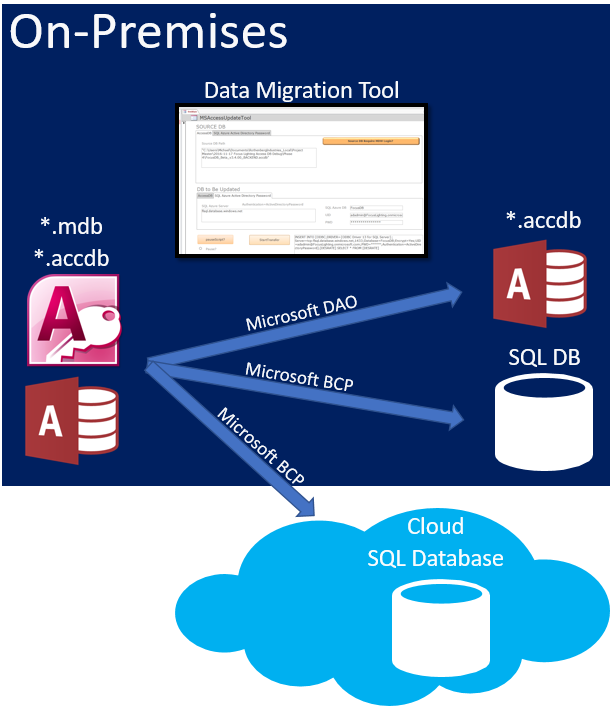
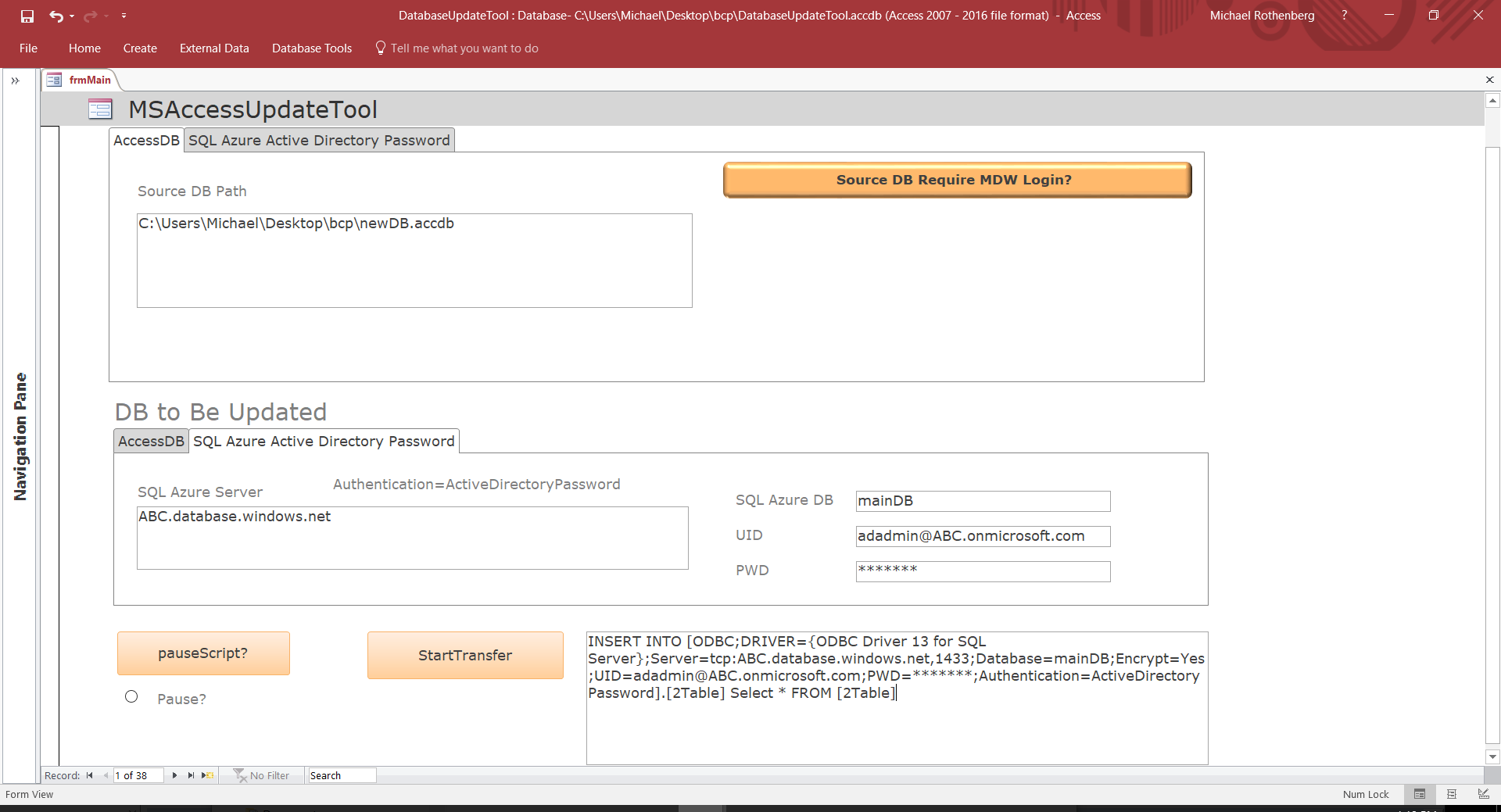
Microsoft Access Database Migration Tool (*.accdb, *.mdb)
Scope: Migrated legacy Access 2003 *.mdb databases using MDW workgroup security to modern Access 2010+ *.accdb format and cloud-hosted SQL Server databases via Microsoft Bulk Copy Program (BCP).
Solution: Built an ergonomic third-party Access migration utility in Visual Basic that utilizes the DAO object library to loop through tables, construct SQL migration statements, and push live production data to development databases or SQL Server.

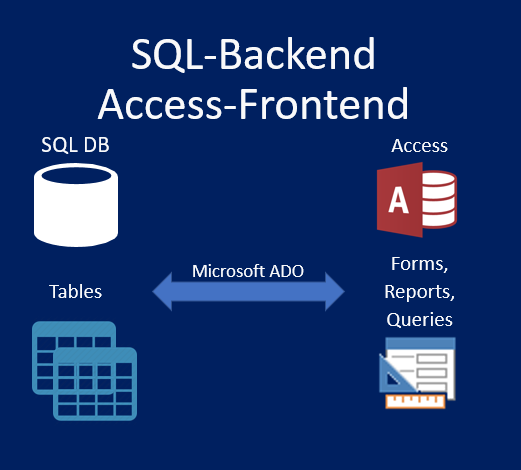
Microsoft Access Front-End SQL Back-End Credential Update Process
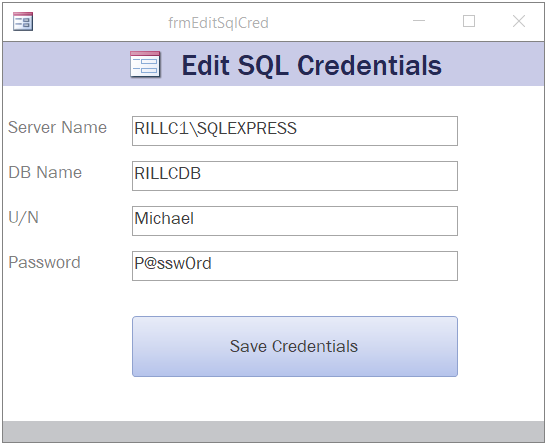
Scope: Automate SQL credential updates across every linked table in a split Access front-end / SQL back-end desktop application, bypassing the manual Access Linked Table Wizard.
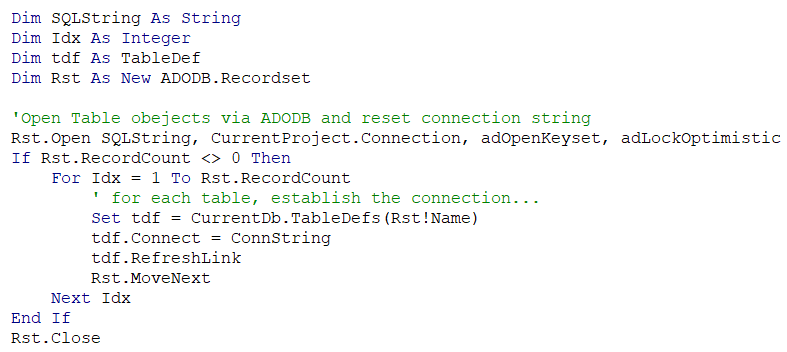
Solution: Designed a VBA relinking engine using ADODB objects. SQL credentials are stored in a local configuration table. Upon relinking, the code queries hidden Access system tables (`~sq_*`), dynamically constructs ODBC connection strings, and refreshes every linked table object automatically.
ODBC;DRIVER={SQL Server Native Client 11.0};SERVER=ServerName;DATABASE=DbName;UID=User;PWD=Pass;

Microsoft Access Database Documentation Tool
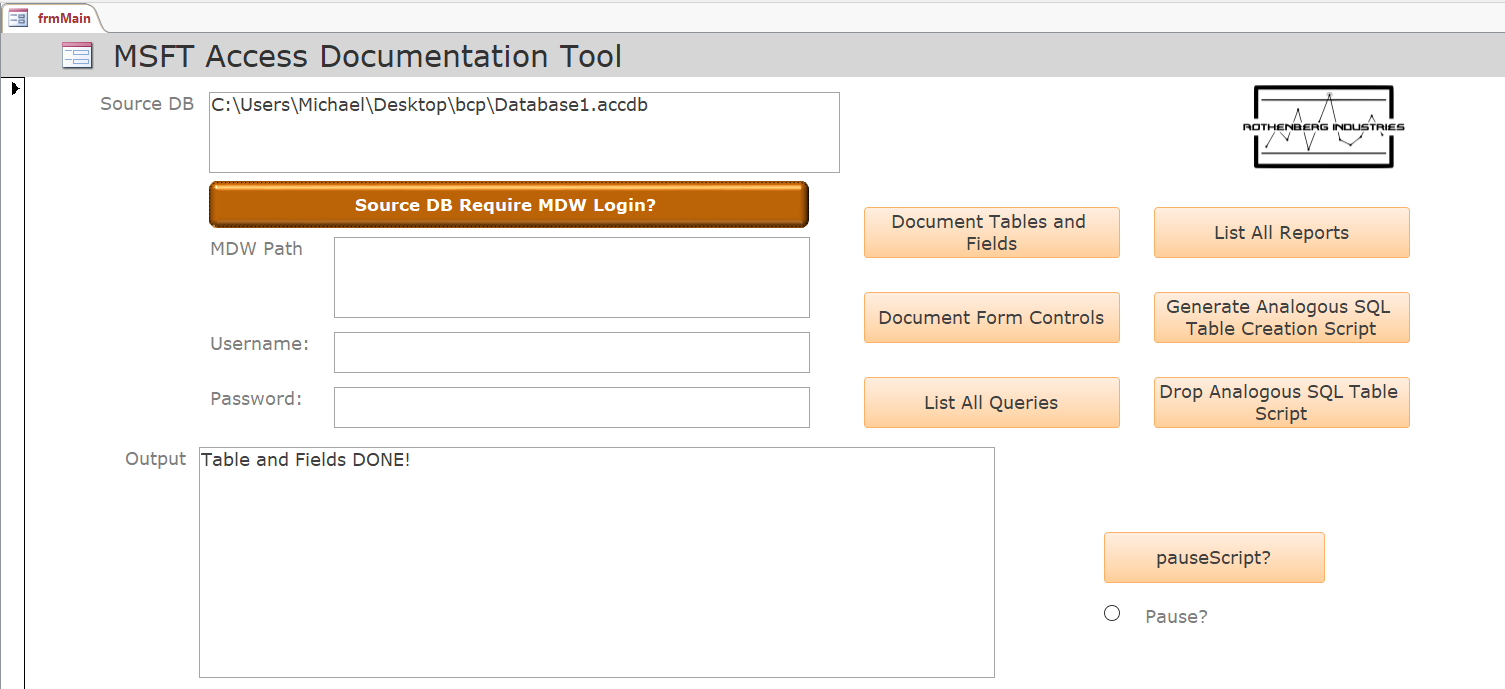
Scope: Ergonomically document all tables, fields, form controls, queries, reports, and object dependencies in an inherited legacy Access database for future modernization.
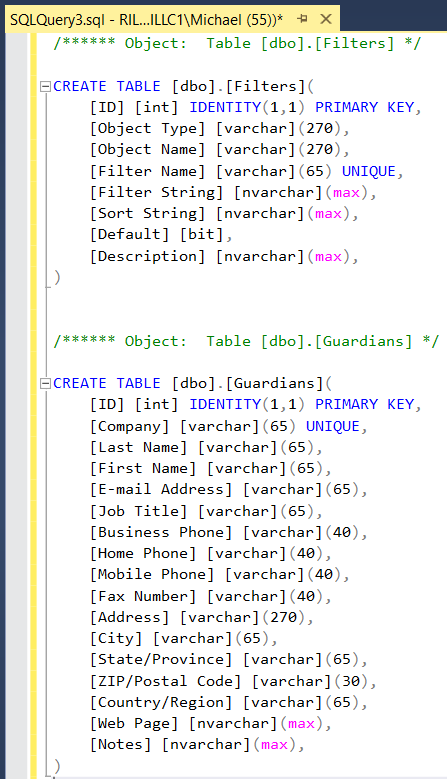
Solution: Developed a VBA documentation engine utilizing DAO and Access Application objects to extract database schemas into Excel-analyzable datasets. The tool automatically generates corresponding T-SQL `CREATE TABLE` and `DROP TABLE` statements for seamless SQL migration.


Microsoft Excel VBA Secure PDF Generation & Email Automation
Scope: Designed an automated payroll management system in Microsoft Excel that generates encrypted PDF electronic salary slips with secondary signature security and emails them directly to employees via Outlook.
Solution: Integrated Excel VBA with PDFtk (PDF Toolkit) to apply 2-step password encryption (user opening password + secondary permission restriction password). The script then generates Outlook email drafts with employee-specific attachments for review prior to dispatch.


Microsoft Excel VBA Polynomial Regression Algorithm
Scope: Reverse-engineered an existing LabVIEW program calculating vehicle mechanical force loss coefficients (mechanical friction, road friction, aerodynamics) from raw coast-down speed data into an Excel VBA algorithm.
Solution: Developed a two-step variable order linear polynomial regression algorithm in Excel VBA. The algorithm trims high/low speed cutoffs, calculates acceleration force, and fits a second-order polynomial on net force to extract exact loss coefficients.
Reduced data processing time from over 8 hours to under 1 minute.


Microsoft Excel VBA SQL Role Creation Script
Scope: Provide an ergonomic matrix interface to generate T-SQL scripts creating database-level roles with assigned table and field-level permissions.
Solution: Built an Excel VBA generator where administrators assign 'Read', 'Read + Write', or 'Admin' permissions across tables and columns. Running the macro automatically generates the exact T-SQL script ready for execution on SQL Server.


Get Started
Modernize Your Access DB & Office Workflows
Increase your daily efficiency by automating your office routine with Rothenberg Industries, LLC. Contact us today for advisory consulting or turnkey development.
Request VBA & Access Consultation